Horizon Security Map: Ten Layers from Sign-in to Desktop
Securing Omnissa Horizon isn’t one setting in the console. It’s ten layers along the path a user takes, from signing in at home to landing on a desktop in your data centre. Miss one and the others have to carry it.
This map follows that path left to right, across the three network zones every Horizon design has: the internet, the DMZ and the internal network.
The map
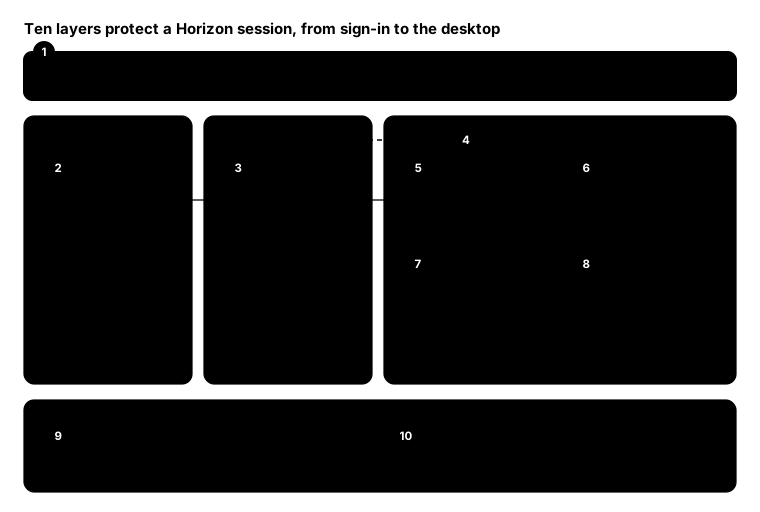
The solid arrows are the authentication and brokering path. The dashed line is the display session: Blast traffic goes through the gateway’s Blast Secure Gateway straight to the desktop, not through the Connection Server.
Layer by layer
- Identity. Put MFA in front of everything with a SAML identity provider such as Entra ID, enforced at the gateway. Why: a stolen password shouldn’t get anyone past the DMZ.
- Client. IGEL OS or a current Horizon Client. Use Horizon’s client restriction settings to block old client versions. Why: old clients miss security fixes and newer TLS options.
- Unified Access Gateway. The only Horizon component in the DMZ. Don’t expose Connection Servers to the internet. Why: it’s the one box attackers can reach, so it should be small, hardened and patched first.
- Blast over TLS. Use the Blast Secure Gateway on the UAG, with a trusted certificate. If a TLS-terminating proxy sits in front, configure the Blast proxy certificate, or clients will drop the connection with a thumbprint mismatch. Why: the session carries everything on screen and every keystroke.
- Connection Server. Internal only, with role-based admin access, separate admin accounts and admin MFA. Why: whoever controls the broker controls every desktop.
- Desktops. Instant Clones from a hardened golden image, with Defender and application control in the image. Why: a desktop that resets at logoff doesn’t keep what an attacker left behind.
- True SSO. Enrollment Server and certificate authority issue short-lived certificates, so users don’t type their AD password after SAML sign-in. Protect the enrollment service like a tier-0 system. Why: it issues logon certificates for every user.
- vCenter. Separate admin accounts, no internet exposure, and least-privilege service accounts for Horizon. Why: vCenter can clone, power off or snapshot every desktop.
- Patching. Keep the UAG, Connection Servers, Horizon Agent and clients on supported versions. Why: gateway and broker flaws are among the first things attackers scan for.
- Monitoring. Send the Events database, UAG syslog and Connection Server logs to wherever your alerts live. Why: failed MFA, admin changes and unusual logon times only help if someone sees them.
Architect advice
- One way in. Every external connection goes through UAG. If anything else is published, close it.
- Patch the DMZ first. UAG and Connection Server updates go ahead of everything else in the queue.
- Treat certificates as a control. An expired or mismatched certificate breaks Blast; a weak one undermines it.
- Separate admin from user. Admin accounts for Horizon and vCenter shouldn’t be the accounts people read email with.
From the field: certificate check
Expired certificates on a UAG or Connection Server are a common cause of outages and a quiet security gap. This check connects to each host and reports the certificate’s expiry and the TLS version it negotiated. It works in Windows PowerShell 5.1 and PowerShell 7.
$targets = 'uag01.contoso.com:443', 'cs01.contoso.local:443', 'cs02.contoso.local:443'

foreach ($t in $targets) {
    $hostName, $port = $t -split ':'
    $tcp = New-Object Net.Sockets.TcpClient($hostName, [int]$port)
    $ssl = New-Object Net.Security.SslStream($tcp.GetStream(), $false, { $true })
    try {
        $ssl.AuthenticateAsClient($hostName)
        $cert = New-Object Security.Cryptography.X509Certificates.X509Certificate2($ssl.RemoteCertificate)
        [pscustomobject]@{
            Host     = $hostName
            Protocol = $ssl.SslProtocol
            Expires  = $cert.NotAfter
            DaysLeft = [int]($cert.NotAfter - (Get-Date)).TotalDays
            Subject  = $cert.Subject
        }
    } finally { $ssl.Dispose(); $tcp.Dispose() }
}
The script accepts any certificate so it can report on bad ones, so only run it against your own servers. Anything under 30 days left, or anything below TLS 1.2, goes on the list.
Bottom line
Horizon security is mostly about where things sit: one gateway in the DMZ, everything else internal, identity in front and a disposable desktop behind. Get the placement right and the settings are easier to get right too.