uberAgent: Experience and Security Monitoring from One Agent
Monitoring tools tend to split along team lines. The EUC team watches logon times and app crashes; the security team watches processes and network connections. Both teams install agents on the same desktops.
uberAgent, which Citrix bought from vast limits, takes a different approach: one agent that collects the data once and serves both teams.
What it covers
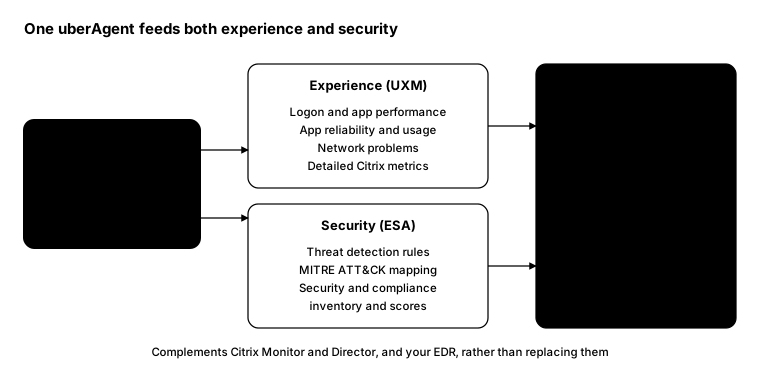
uberAgent UXM (experience monitoring) covers digital employee experience on Windows, macOS and Linux, physical or virtual:
- Logon duration and application performance
- Application reliability, and which apps people use and how often
- Network connectivity problems
- Detailed Citrix monitoring, plus browser and web app performance
uberAgent ESA (endpoint security analytics) adds:
- A threat detection engine with a predefined ruleset you can extend
- MITRE ATT&CK mapping for detections
- A security and compliance inventory that scores operating system and application hardening
Citrix positions ESA as “the perfect complement to EDR/antivirus products”, not a replacement.
Where the data goes
uberAgent doesn’t come with its own database. It sends data to a backend you choose:
- Splunk (the original backend)
- Elasticsearch and Kibana
- Azure Data Explorer or Azure Event Hubs
- Apache Kafka
- Cribl Stream
If your security team already runs one of these, uberAgent data can land next to everything else they watch.
How it fits with Citrix’s own tools
| Tool | Approach | Best for |
|---|---|---|
| Citrix Monitor / Director | Agentless, from the control plane | Session and machine health in Citrix |
| uberAgent UXM | Agent on every endpoint | Deep experience data, Citrix and non-Citrix |
| uberAgent ESA | Same agent | Behaviour-based detection alongside EDR |
| Your EDR | Its own agent | Prevention, response and isolation |
Citrix says uberAgent adds less than 0.5% CPU load and automatically detects Citrix components such as the VDA.
Licensing
Citrix links uberAgent to its newer subscriptions, but inclusion depends on your edition. Confirm with your Citrix partner what you’re entitled to.
From the field: agent coverage
Monitoring only helps if the agent is everywhere. This check reports the installed uberAgent version and service state on each host, and works in Windows PowerShell 5.1 and PowerShell 7.
$hosts = Get-Content .\vdas.txt

Invoke-Command -ComputerName $hosts -ScriptBlock {
    $app = Get-ItemProperty 'HKLM:\SOFTWARE\Microsoft\Windows\CurrentVersion\Uninstall\*',
                            'HKLM:\SOFTWARE\WOW6432Node\Microsoft\Windows\CurrentVersion\Uninstall\*' `
                            -ErrorAction SilentlyContinue |
           Where-Object DisplayName -like 'uberAgent*' | Select-Object -First 1
    $svc = Get-Service -DisplayName '*uberAgent*' -ErrorAction SilentlyContinue | Select-Object -First 1

    [pscustomobject]@{
        Version = $app.DisplayVersion
        Service = $svc.Status
    }
} | Select-Object PSComputerName, Version, Service
A blank version means the agent is missing; anything but Running means the data has stopped.
Bottom line
uberAgent gives the EUC and security teams one source of truth from one agent. It complements Citrix Monitor and your EDR rather than replacing them, so plan where the data lands before you deploy.