Citrix DaaS Security Map: Eleven Layers from Sign-in to Session
Citrix DaaS changes where the security work happens. Citrix runs and secures the control plane, so there are no Delivery Controllers or SQL servers for you to harden. What’s left is identity, the endpoint, your resource location and the session itself.
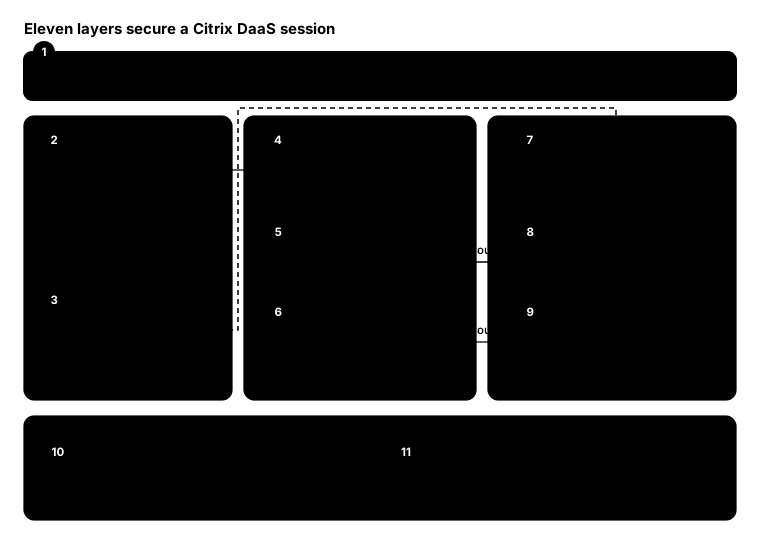
This map follows a session through the three places it touches: the user’s device, Citrix Cloud and your resource location.
The map
Layer by layer
- Identity. Citrix Workspace with Entra ID, Okta or another SAML provider, with MFA and Conditional Access. Why: a stolen password shouldn’t launch anything.
- Workspace app with App Protection. Anti-keylogging and anti-screen capture on the endpoint, for the delivery groups that need it. Why: a compromised home PC can still record keystrokes and screens.
- deviceTRUST Client Extension. Collects context from the endpoint, such as network, security state and location, and passes it to the session. Why: the VDA can’t see the device without it.
- Device Posture service. Checks the OS, Workspace app version, antivirus, MDM enrolment or device certificate before sign-in. Why: an unmanaged or out-of-date device can be stopped at the door.
- Gateway service. Citrix-run HDX proxy. With the Rendezvous protocol, Citrix says all segments of the ICA connection are encrypted with TLS/DTLS. Why: no inbound ports, and encryption end to end.
- Control plane admin. Citrix runs it; you control who administers it. Use Citrix Cloud roles, MFA and separate admin accounts. Why: whoever owns the console owns every desktop.
- deviceTRUST agent. On the VDA, it keeps checking the context during the session and can lock, disconnect, notify or audit when it changes. Why: a device that was safe at 9 am may not be at 11.
- VDAs. A hardened, non-persistent image with Defender and application control, using Rendezvous to connect outbound. Why: a desktop that resets at logoff doesn’t keep what an attacker left behind.
- Cloud Connectors. Outbound 443 only, at least two per resource location, kept off the internet inbound. Why: they’re the bridge between your network and Citrix Cloud.
- Session Recording. Records privileged or sensitive sessions. Why: some work needs evidence, not just logs.
- uberAgent and EDR. uberAgent’s security analytics add Citrix-aware detection alongside your EDR, and its experience monitoring shows when security controls hurt users. Why: you need to see attacks and slowdowns alike.
Architect advice
- Close the inbound doors. With the Gateway service and Rendezvous, nothing in your resource location needs an inbound internet port.
- Check before and during. Device Posture decides who gets in; deviceTRUST decides whether they stay.
- Protect the endpoint you don’t own. App Protection matters most for contractors and personal devices.
- Protect the admins. In DaaS the console is on the internet, so admin MFA and least privilege aren’t optional.
From the field: quick health check
Two things quietly undermine a DaaS resource location: VDAs that have fallen out of registration and Cloud Connector services that have stopped. This check uses the Remote PowerShell SDK for the first and plain PowerShell for the second.
Get-XDAuthentication

# VDAs that aren't registered with Citrix Cloud
Get-BrokerMachine -RegistrationState Unregistered -MaxRecordCount 10000 |
    Select-Object MachineName, DesktopGroupName, LastDeregistrationReason

# Citrix services that aren't running on each Cloud Connector
Invoke-Command -ComputerName 'cc01.contoso.local', 'cc02.contoso.local' -ScriptBlock {
    Get-Service -DisplayName 'Citrix*' |
        Where-Object { $_.StartType -eq 'Automatic' -and $_.Status -ne 'Running' }
} | Select-Object PSComputerName, DisplayName, Status
Bottom line
With DaaS, Citrix secures the control plane; you secure everything around it. Identity in front, no inbound ports, context checked before and during the session, and evidence afterwards.