Citrix Profile Management vs FSLogix: Choosing a Profile Container
Not long ago this was an easy choice: Citrix Profile Management copied files, and FSLogix mounted a disk, so you picked FSLogix for speed. That’s no longer true. Citrix Profile Management now has its own profile container, and both products mount a VHDX per user at logon.
So the choice is now about platform, licensing and features rather than speed alone.
How each one works
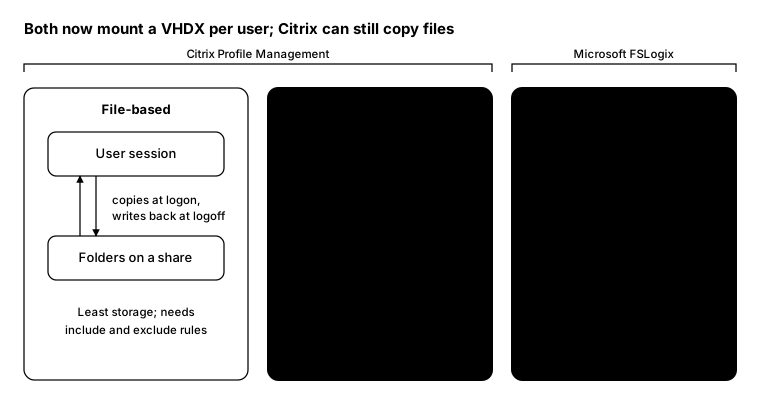
Citrix Profile Management offers two models, and you can mix them:
- File-based: copies the profile from a share at logon and writes changes back at logoff. It uses the least storage but needs include and exclude rules, and it doesn’t support OneDrive sync on its own.
- Container-based: keeps the profile in a VHDX that’s mounted at logon. Citrix’s default container size is 50 GB per user, and no include or exclude rules are needed.
- Hybrid: keep the profile file-based, but put parts like the Outlook search index or OneDrive in a container.
FSLogix mounts the whole profile as a VHDX, with optional extras:
- Profile container: the full profile in one VHDX per user
- ODFC container: just the Office data, if you want to keep it separate
- Cloud Cache: writes to more than one storage location for resilience
Side by side
| Citrix Profile Management | FSLogix | |
|---|---|---|
| Platform | Citrix VAD and DaaS | Any Windows multi-session or VDI, including AVD, Citrix and Horizon |
| Licensing | Included with Citrix | Included with M365 E3/E5, Business, F1/F3, Windows Enterprise E3/E5, RDS CALs and AVD per-user |
| Models | File-based, container or hybrid | Container |
| Admin | Citrix policies or WEM | Registry or Group Policy |
| Resilience | Multiple stores, replication | Cloud Cache |
| Migration | Citrix tool imports FSLogix containers | Native on AVD |
What to watch for
- Don’t run both on one profile. If you move from FSLogix to Citrix containers, Citrix says to set FSLogix
Enabledto0underHKLM\SOFTWARE\FSLogix\Profiles. Otherwise the Citrix container won’t work properly. - Reset TEMP after migrating. FSLogix redirects TEMP into the profile, and that setting survives migration.
- Plan storage before you choose. Container size, share performance and latency to the share decide logon speed far more than the product does.
- Check Kerberos encryption on profile shares. Microsoft warns that file shares not moved to AES encryption may have access issues after the April 2026 Windows Server change away from RC4.
Which one to pick
- Staying on Citrix? Citrix Profile Management containers keep everything in one vendor and one policy set, and the hybrid model gives you fine control.
- Moving to AVD, or running more than one platform? FSLogix works everywhere and is probably already licensed.
- Already on FSLogix and happy? There’s no need to move. Citrix supports FSLogix on its VDAs.
From the field: container sizes
Whichever product you choose, the containers grow. This report lists the biggest VHDX files on a profile share and when each was last written. It works in Windows PowerShell 5.1 and PowerShell 7.
$share = '\\fs01.contoso.local\profiles'

Get-ChildItem -Path $share -Recurse -Include *.vhd, *.vhdx -File -ErrorAction SilentlyContinue |
    Sort-Object Length -Descending |
    Select-Object -First 20 @{ n = 'User'; e = { $_.Directory.Name } },
        @{ n = 'SizeGB'; e = { [math]::Round($_.Length / 1GB, 1) } },
        LastWriteTime
And on a session host, a quick check that only one profile solution is switched on:
Get-ItemProperty 'HKLM:\SOFTWARE\FSLogix\Profiles' -Name Enabled -ErrorAction SilentlyContinue |
    Select-Object @{ n = 'FSLogixEnabled'; e = { $_.Enabled } }
Bottom line
Both products now mount a VHDX, so neither wins on logon speed by default. Pick Citrix Profile Management if you’re all-in on Citrix; pick FSLogix if you’re on AVD, mixing platforms, or want the one you’re already licensed for.